Subtitles and captions make your YouTube videos accessible to a wider audience, improve watch time, and boost your SEO ranking. Whether you need auto-generated captions, professional transcription, or multilingual subtitles, there are excellent tools available in 2026 for every budget. This guide compares the best subtitle and caption tools for YouTube creators — both free and paid — so you can choose the right one for your content.
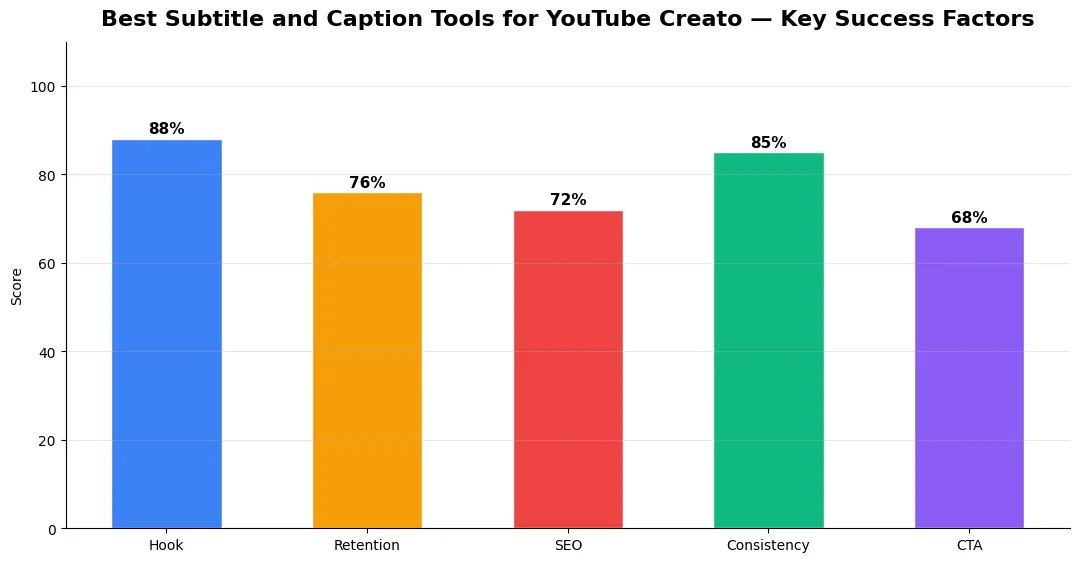
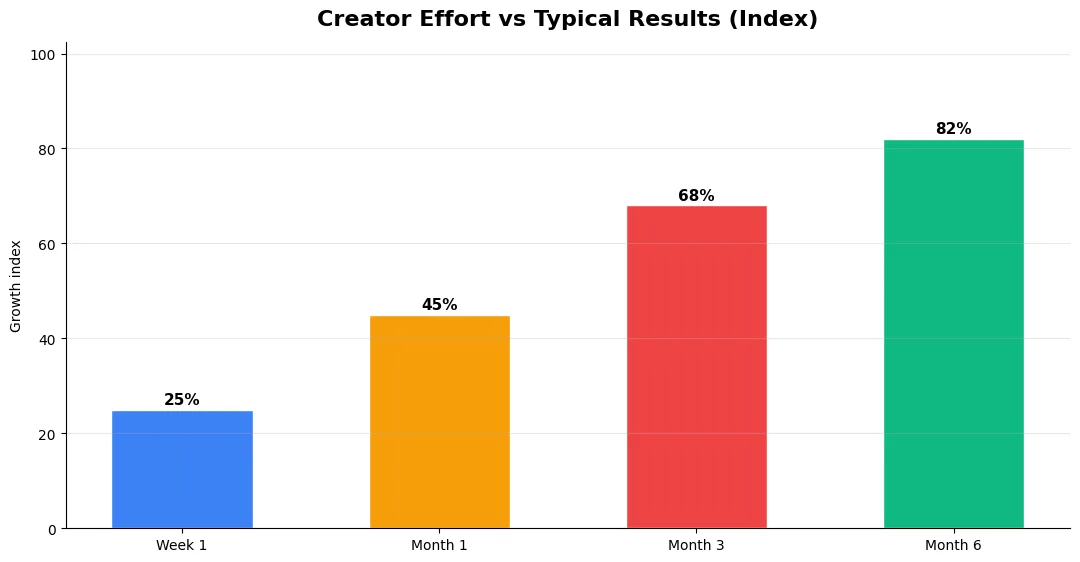
This guide covers best subtitle and caption tools in plain language for creators in India, the US, the UK, and global audiences. Whether you are starting out or refining a channel that already earns views, the frameworks below help you work smarter—not just post more often. Read through the charts and comparison table, then apply one change per week so improvements stick.
Why Subtitles Matter for YouTube Growth
Subtitles do more than make your videos accessible to deaf and hard-of-hearing viewers. They increase engagement because many people watch videos on mute, especially on mobile devices. YouTube’s algorithm can read your captions, which means accurate subtitles help your videos rank for more keywords. Translated subtitles open your content to international audiences without recording new audio. For creators serious about growth, adding quality subtitles to every video is one of the highest-impact actions you can take. Learn more about how captions fit into your overall ranking strategy in our YouTube SEO complete guide.
Best Subtitle and Caption Tools Compared
YouTube Auto-Captions are built into YouTube and completely free. YouTube uses speech recognition to generate captions automatically after you upload a video. Accuracy has improved significantly in 2026, especially for clear English audio, but it still struggles with accents, technical terms, and multiple speakers. You can edit auto-captions directly in YouTube Studio, which is the fastest way to add basic subtitles at no cost.
Rev offers both AI-generated and human transcription services. The AI option is affordable and fast with good accuracy, while the human transcription service provides near-perfect results for professional content. Rev supports multiple languages and delivers SRT files you can upload directly to YouTube. It is a top choice for creators who need reliable accuracy without doing manual edits.
Descript is a full audio and video editing platform that includes powerful transcription. It transcribes your video in minutes and lets you edit the transcript like a text document — changes to the text automatically edit the video. Descript supports speaker labels, filler word removal, and subtitle export in multiple formats. The free plan includes limited transcription hours, with paid plans offering unlimited access.
Kapwing is a browser-based editor with an excellent auto-subtitle feature. It generates captions with one click, lets you style them with custom fonts and colors, and burns them directly into your video if needed. Kapwing is ideal for creators who want styled captions for Shorts and social media clips. The free tier includes basic features with a watermark.
Happy Scribe specializes in multilingual transcription and subtitling. It supports over 120 languages with both AI and human transcription options. Happy Scribe integrates with popular video platforms and exports in all standard subtitle formats. It is the best option for creators who need subtitles in multiple languages for an international audience.
Combine great subtitles with a full creator toolkit to maximize your workflow — see our YouTube creator toolkit guide for the complete setup.
Comparison Table: Subtitle and Caption Tools
| Tool | Accuracy | Free Plan | Languages Supported | Best For |
|---|---|---|---|---|
| YouTube Auto-Captions | Good (clear audio) | Yes (built-in) | 13+ auto-detect | Quick free captions |
| Rev | High (AI) / Very High (human) | No (pay per minute) | 30+ | Professional accuracy |
| Descript | High | Limited free hours | 20+ | Edit video by editing text |
| Kapwing | Good | Yes (with watermark) | 70+ | Styled captions for Shorts |
| Happy Scribe | High (AI) / Very High (human) | Limited free trial | 120+ | Multilingual subtitles |
Conclusion
Adding subtitles is one of the simplest ways to increase your reach and improve your YouTube SEO. Start with YouTube’s free auto-captions and edit them for accuracy. As your channel grows, consider tools like Rev or Happy Scribe for professional and multilingual subtitles. The investment in captions pays off through better watch time, higher rankings, and a larger audience.
👉 Best Free AI Tools for YouTube Creators — 2026 Guide
👉 YouTube Monetization Guide for Creators — 2026
Step-by-Step Workflow for 2026
Start by defining one clear outcome for every piece of content you publish. Map the viewer journey from the first frame to the subscribe or click action, and remove any step that does not move that journey forward. Batch your research, scripting, and B-roll capture so you are not context-switching between creative and administrative tasks every day.
Use a simple checklist before upload: title clarity, thumbnail readability on mobile, hook strength in the first three seconds, captions accuracy, and end-screen placement. Creators who treat upload as a quality gate—not a rush job—see compounding gains in retention and discovery over 2026.
Measuring Success — Metrics That Matter
Track average view duration and audience retention before raw view count. Rising retention tells you the content matches the promise of your title and thumbnail; falling retention signals a hook or pacing problem. Monitor click-through rate separately—high CTR with low retention usually means the packaging oversold the video.
For growth channels, watch subscriber conversion per thousand views and returning viewer percentage. For monetized channels, revenue per mille and watch time from high-value geographies matter more than viral spikes from low-monetization regions. Set monthly targets for two metrics only; too many KPIs dilute focus.
Tools and Resources That Save Time
Invest in lightweight tools that reduce friction: a caption workflow, a thumbnail template system, and a title/description helper so metadata stays consistent. The YT Title Description Generator app helps you draft SEO-friendly titles and descriptions quickly when you batch-upload multiple videos.
Keep a swipe file of hooks, titles, and thumbnails that performed well in your niche—not to copy, but to analyze patterns. Pair that with YouTube Studio analytics and one external keyword or trend tool so creative decisions stay grounded in data.
Common Mistakes to Avoid in 2026
The fastest way to stall growth is copying trends without adapting them to your niche voice. Another frequent error is optimizing only for views while ignoring audience fit, which inflates vanity metrics but hurts monetization and brand deals later. Avoid posting on inconsistent schedules; algorithms and audiences both reward predictable cadence.
Do not neglect analytics review. Spend thirty minutes weekly on retention curves, traffic sources, and click-through rate on thumbnails. Small iterative fixes—tighter hooks, clearer titles, better pacing—often outperform chasing entirely new formats every week.
| Level | Strategy | Typical outcome |
|---|---|---|
| Beginner approach | Copy trends blindly | Low retention, no brand |
| Structured approach | Test hooks + analyze data | Steady growth |
| Pro approach | Series + community loop | Higher LTV audience |
Are YouTube auto-captions accurate enough to use without editing?
What is the cheapest way to add subtitles to YouTube videos?
Do subtitles help with YouTube SEO?
Which tool is best for adding subtitles in multiple languages?
Final Verdict — Best Subtitle And Caption Tools in 2026
Success with best subtitle and caption tools comes from clarity, consistency, and honest delivery on every title and thumbnail promise. Use the step-by-step workflow, avoid the common mistakes above, and measure retention before chasing viral spikes. Small weekly improvements compound into channel growth that lasts beyond a single trending moment.
Also Read:


