Going live can feel intimidating, but the right prep turns nerves into momentum. These YouTube live streaming tips beginners can use in 2026 cover internet stability, audio checks, chat moderation, and simple run-of-show habits that keep viewers watching. Live content rewards authenticity and real-time interaction, so a repeatable setup helps you focus on the audience instead of troubleshooting mid-stream. Think of your first streams as rehearsals with a public audience: polish the checklist, not perfectionism.
This guide covers youtube live streaming tips for in plain language for creators in India, the US, the UK, and global audiences. Whether you are starting out or refining a channel that already earns views, the frameworks below help you work smarter—not just post more often. Read through the charts and comparison table, then apply one change per week so improvements stick.
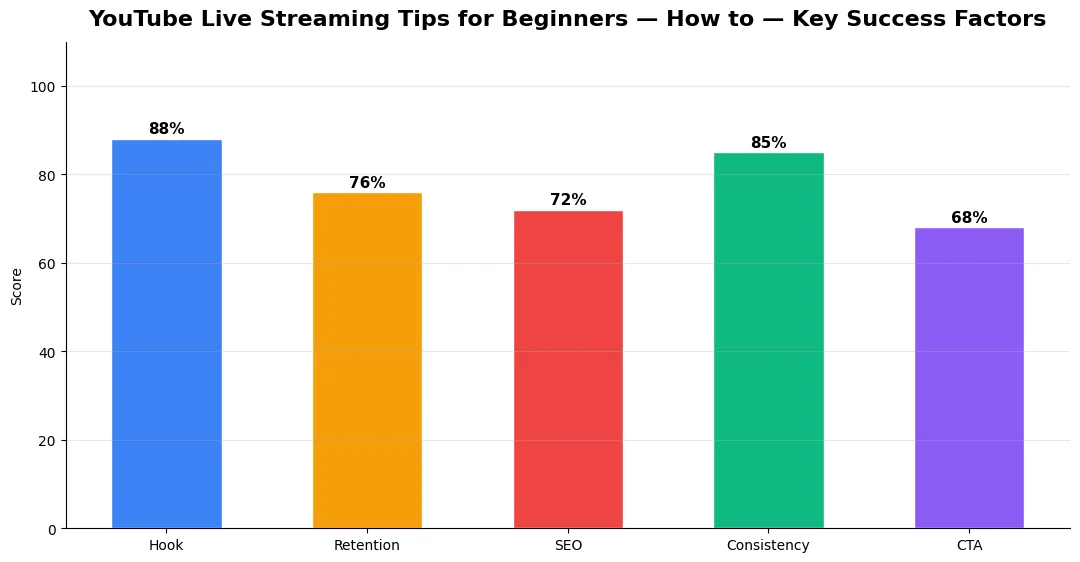
YouTube live streaming tips beginners need before the red light goes on
Test your upload speed on the same network and time of day you will stream; wired Ethernet beats Wi‑Fi for stability. Close background sync apps, set a dedicated scene layout in your software, and run a private test stream to confirm levels. For platform-wide changes that may affect live features, bookmark YouTube 2026 creator platform changes: complete guide. Prepare a one-page outline with timestamps so you always know what comes next. Label scenes in your encoder so a co-host or moderator can switch graphics if you need to step away for thirty seconds.
Engagement that holds attention without chaos
Greet arrivals by name when possible, repeat questions before answering, and pin key links in chat. Use slow mode or trusted moderators for larger crowds. Break long sessions into segments with mini-recaps so late joiners stay oriented. Compare how live fits your mix using Shorts vs long-form growth strategies for 2026—many creators use live as the depth layer after Shorts bring discovery. Rotate between answering chat, teaching a beat, and reacting to super chats so pacing feels varied even on a static set.
Production basics: sound, lighting, and backups
Viewers forgive imperfect video sooner than garbled audio. Use a mic close to your mouth, monitor levels with headphones, and keep a phone hotspot ready as backup internet only if you know how to fail over calmly. Soft lighting on your face reads better than a bright window behind you. Tie your format back to the overview in every YouTube content format explained so your live show has a clear role on the channel. Record a local backup audio track when possible so a brief dropout online does not erase a great segment from your archive.
After the stream: VOD, clips, and improvement loop
Enable archiving, trim dead air for the replay title and description, and note peak concurrent viewers versus average watch time. Turn standout moments into Shorts with clear context. If you teach or demo, prerecord clean screen segments offline and splice them into future lives so demos stay sharp even when bandwidth dips. Log three improvement notes immediately after you end: one audio fix, one pacing fix, and one engagement idea for the next broadcast.
Beginners often repeat the same friction points; the table below pairs the mistake with a simple fix so your next stream feels smoother.
| Beginner mistake | Fix | Why it matters |
|---|---|---|
| Starting cold | 5-minute soft open | Lets bitrate stabilize and chat gathers |
| Ignoring chat | Rotate attention every few minutes | Live rewards interaction signals |
| Overlong single take | Segment breaks and polls | Reduces fatigue and drop-off |
| No moderator plan | Slow mode plus keyword filters | Keeps brand-safe environment |
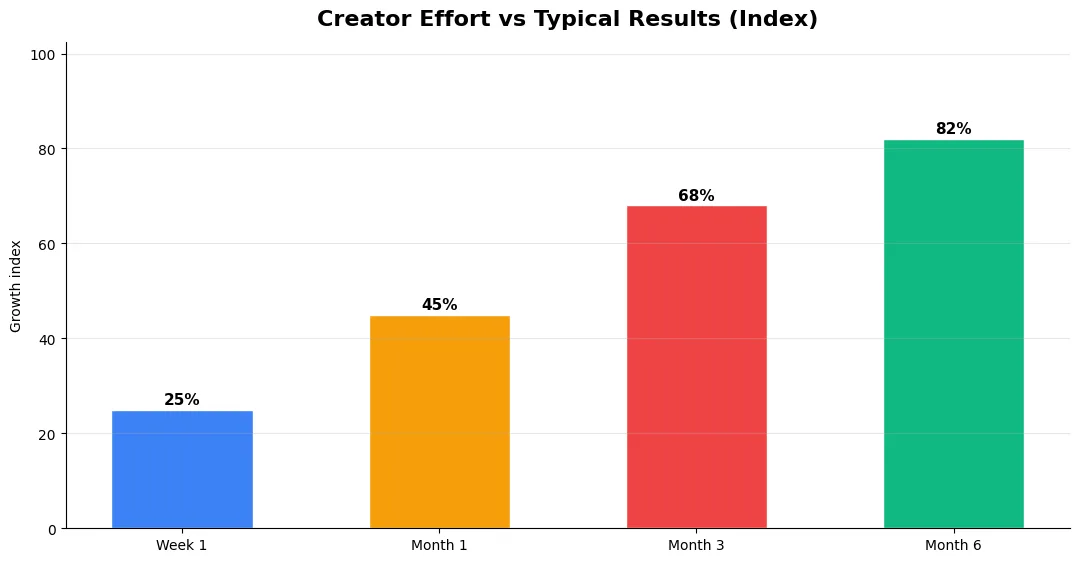
Advanced Tips for Competitive Niches
In saturated niches, specificity wins. Narrow your positioning until you can describe your ideal viewer in one sentence, then speak directly to that person in every title and hook. Collaborate with adjacent creators whose audiences overlap but are not identical—this expands reach without diluting brand identity.
Repurpose top performers into Shorts, community posts, and newsletter snippets to extract more value from proven ideas. Update evergreen videos when platforms change features; refreshed metadata and a pinned comment with the latest link can revive older assets.
Step-by-Step Workflow for 2026
Start by defining one clear outcome for every piece of content you publish. Map the viewer journey from the first frame to the subscribe or click action, and remove any step that does not move that journey forward. Batch your research, scripting, and B-roll capture so you are not context-switching between creative and administrative tasks every day.
Use a simple checklist before upload: title clarity, thumbnail readability on mobile, hook strength in the first three seconds, captions accuracy, and end-screen placement. Creators who treat upload as a quality gate—not a rush job—see compounding gains in retention and discovery over 2026.
Measuring Success — Metrics That Matter
Track average view duration and audience retention before raw view count. Rising retention tells you the content matches the promise of your title and thumbnail; falling retention signals a hook or pacing problem. Monitor click-through rate separately—high CTR with low retention usually means the packaging oversold the video.
For growth channels, watch subscriber conversion per thousand views and returning viewer percentage. For monetized channels, revenue per mille and watch time from high-value geographies matter more than viral spikes from low-monetization regions. Set monthly targets for two metrics only; too many KPIs dilute focus.
Tools and Resources That Save Time
Invest in lightweight tools that reduce friction: a caption workflow, a thumbnail template system, and a title/description helper so metadata stays consistent. The YT Title Description Generator app helps you draft SEO-friendly titles and descriptions quickly when you batch-upload multiple videos.
Keep a swipe file of hooks, titles, and thumbnails that performed well in your niche—not to copy, but to analyze patterns. Pair that with YouTube Studio analytics and one external keyword or trend tool so creative decisions stay grounded in data.
| Level | Strategy | Typical outcome |
|---|---|---|
| Beginner approach | Copy trends blindly | Low retention, no brand |
| Structured approach | Test hooks + analyze data | Steady growth |
| Pro approach | Series + community loop | Higher LTV audience |
What internet speed do beginners need for YouTube live streaming?
Aim for a stable upload well above your target bitrate; many 1080p setups use several Mbps upload headroom. Test with a wired connection when possible.
Are YouTube live streaming tips for beginners different in 2026?
Core principles stay the same—stable connection, clear audio, structured segments—but platform UI and discovery features evolve, so review current studio settings and community guidelines each quarter.
Should new streamers use a webcam or phone?
Either works if framing and lighting are decent; prioritize audio quality and a steady mount over camera resolution at the start.
How do I grow an audience with live streams?
Schedule consistently, promote start times in community posts and previous videos, collaborate with guests, and repurpose highlights as Shorts with searchable titles.
Can beginners stream from a phone only?
Yes for casual or IRL setups; use a wired mic adapter when possible, stabilize the mount, and monitor battery and overheating during long sessions.
Final Verdict — Youtube Live Streaming Tips For in 2026
Success with youtube live streaming tips for comes from clarity, consistency, and honest delivery on every title and thumbnail promise. Use the step-by-step workflow, avoid the common mistakes above, and measure retention before chasing viral spikes. Small weekly improvements compound into channel growth that lasts beyond a single trending moment.
Also Read:


