YouTube creators worldwide received an important notification that will significantly impact how they manage their channels on mobile devices. Starting September 3, 2025, YouTube Studio mobile app versions 23.32 and below will no longer be supported, requiring all content creators to update their applications to continue accessing essential channel management features.
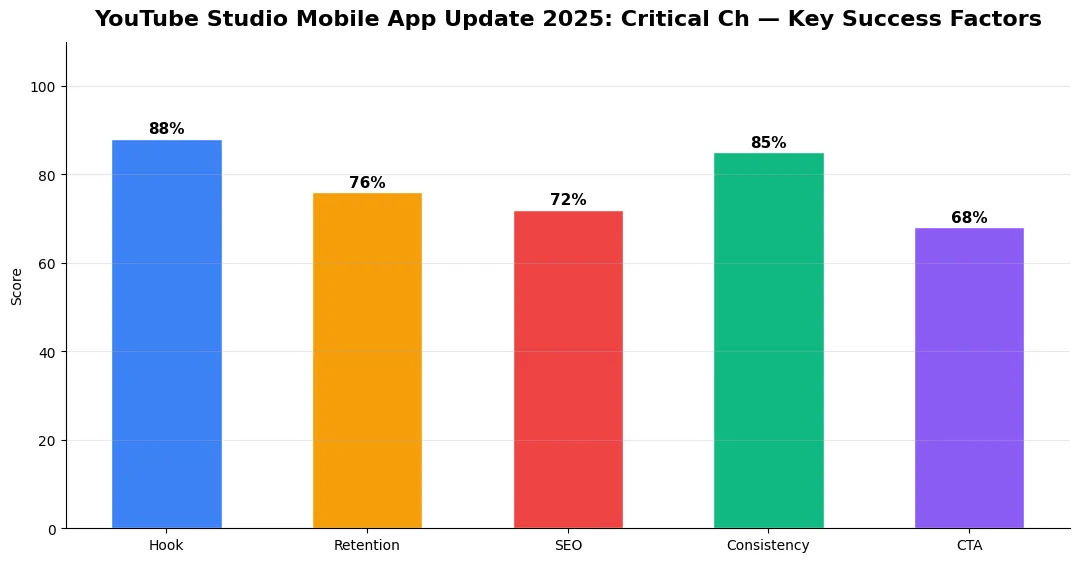
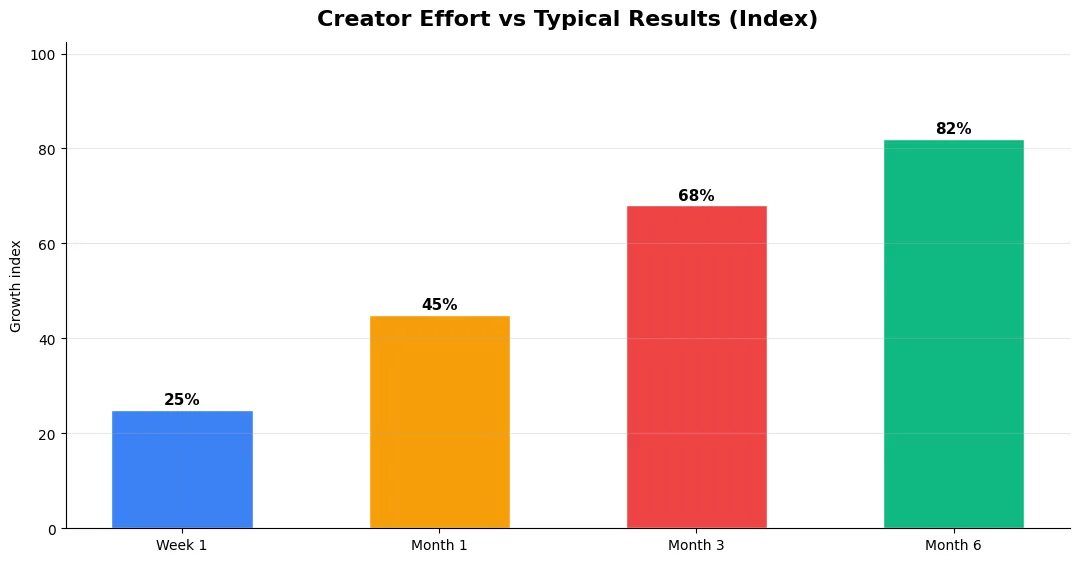
This guide covers youtube studio mobile app update in plain language for creators in India, the US, the UK, and global audiences. Whether you are starting out or refining a channel that already earns views, the frameworks below help you work smarter—not just post more often. Read through the charts and comparison table, then apply one change per week so improvements stick.
This major change affects millions of YouTube creators who rely on the mobile app to monitor analytics, respond to comments, upload content, and manage their channels while on the go. Understanding what this means for your content creation workflow and taking immediate action is crucial for maintaining uninterrupted access to your YouTube Studio features.
What This Support Discontinuation Means
When YouTube discontinues support for older app versions, users running these outdated versions will experience significant limitations. The most immediate impact includes the inability to access real-time analytics, upload new videos, respond to viewer comments, or modify channel settings directly from their mobile devices.
YouTube’s decision to phase out older versions stems from security improvements, new feature rollouts, and the need to maintain optimal app performance across different mobile operating systems. Older versions lack the security protocols and technical infrastructure required to support YouTube’s evolving platform features.
Creators using unsupported versions may notice error messages when attempting to log in, frequent app crashes, or complete inability to access certain features. These issues will progressively worsen as YouTube’s servers stop communicating with outdated app versions entirely.
How to Check Your Current App Version
Before panic sets in, creators should verify their current YouTube Studio app version. On Android devices, open the Google Play Store, search for “YouTube Studio,” and check if an update is available. The current version number appears below the app name.
iPhone users can follow a similar process through the App Store. Navigate to your account section, find YouTube Studio in your app list, and check for available updates. The version number is typically displayed in the app details section.
For those unsure about their version number, opening the YouTube Studio app and navigating to settings usually displays the current version information. This quick check can save creators from potential disruptions to their content management routine.
Updating Your YouTube Studio App
Updating the YouTube Studio app is straightforward across both major mobile platforms. Android users should open the Google Play Store, search for YouTube Studio, and tap the “Update” button if available. Enable automatic updates to prevent future compatibility issues.
iOS users can access the App Store, locate YouTube Studio, and select “Update” when prompted. Consider enabling automatic app updates in your device settings to ensure you always have the latest version installed.
The update process typically takes only a few minutes, depending on your internet connection speed. Ensure you’re connected to a stable Wi-Fi network to avoid interruptions during the download and installation process.
New Features in Recent Updates
Recent YouTube Studio updates have introduced several valuable features that creators using older versions are missing. Enhanced analytics provide deeper insights into audience engagement, watch time patterns, and revenue performance across different time periods.
The updated comment management system offers improved filtering options, making it easier to identify and respond to meaningful viewer interactions. New video editing tools allow creators to make basic adjustments directly within the mobile app, reducing dependence on desktop editing software.
Improved notification systems ensure creators stay informed about important channel activities, subscriber milestones, and community post engagement. These features significantly enhance the mobile content management experience for active YouTube creators.
Troubleshooting Common Update Issues
Some creators may encounter difficulties when updating their YouTube Studio app. The most common issue is insufficient storage space on mobile devices. Clear unnecessary files, photos, or unused apps to free up space for the update installation.
Network connectivity problems can also prevent successful updates. Switch to a more stable internet connection or try updating during off-peak hours when network traffic is lower. Restarting your device before attempting the update often resolves temporary software conflicts.
If the update fails repeatedly, try clearing the Google Play Store or App Store cache, then restart your device and attempt the update again. Contact YouTube support if problems persist after trying these troubleshooting steps.
Preparing for Future Updates
To avoid similar disruptions in the future, creators should enable automatic app updates on their mobile devices. This ensures YouTube Studio remains current with the latest features, security improvements, and platform compatibility requirements.
Set up update notifications to stay informed about new releases and feature additions. Regular app maintenance, including clearing cache files and restarting your device periodically, helps maintain optimal app performance.
Consider subscribing to YouTube’s official creator channels and blogs to receive advance notice about upcoming changes, new features, and important deadlines that might affect your content creation workflow.
The September 3, 2025 deadline has already passed, making immediate action essential for creators still using outdated YouTube Studio versions. Update your app today to maintain full access to your channel management tools and continue creating engaging content for your audience without interruption.
Common Mistakes to Avoid in 2026
The fastest way to stall growth is copying trends without adapting them to your niche voice. Another frequent error is optimizing only for views while ignoring audience fit, which inflates vanity metrics but hurts monetization and brand deals later. Avoid posting on inconsistent schedules; algorithms and audiences both reward predictable cadence.
Do not neglect analytics review. Spend thirty minutes weekly on retention curves, traffic sources, and click-through rate on thumbnails. Small iterative fixes—tighter hooks, clearer titles, better pacing—often outperform chasing entirely new formats every week.
Advanced Tips for Competitive Niches
In saturated niches, specificity wins. Narrow your positioning until you can describe your ideal viewer in one sentence, then speak directly to that person in every title and hook. Collaborate with adjacent creators whose audiences overlap but are not identical—this expands reach without diluting brand identity.
Repurpose top performers into Shorts, community posts, and newsletter snippets to extract more value from proven ideas. Update evergreen videos when platforms change features; refreshed metadata and a pinned comment with the latest link can revive older assets.
Step-by-Step Workflow for 2026
Start by defining one clear outcome for every piece of content you publish. Map the viewer journey from the first frame to the subscribe or click action, and remove any step that does not move that journey forward. Batch your research, scripting, and B-roll capture so you are not context-switching between creative and administrative tasks every day.
Use a simple checklist before upload: title clarity, thumbnail readability on mobile, hook strength in the first three seconds, captions accuracy, and end-screen placement. Creators who treat upload as a quality gate—not a rush job—see compounding gains in retention and discovery over 2026.
Measuring Success — Metrics That Matter
Track average view duration and audience retention before raw view count. Rising retention tells you the content matches the promise of your title and thumbnail; falling retention signals a hook or pacing problem. Monitor click-through rate separately—high CTR with low retention usually means the packaging oversold the video.
For growth channels, watch subscriber conversion per thousand views and returning viewer percentage. For monetized channels, revenue per mille and watch time from high-value geographies matter more than viral spikes from low-monetization regions. Set monthly targets for two metrics only; too many KPIs dilute focus.
| Level | Strategy | Typical outcome |
|---|---|---|
| Beginner approach | Copy trends blindly | Low retention, no brand |
| Structured approach | Test hooks + analyze data | Steady growth |
| Pro approach | Series + community loop | Higher LTV audience |
Final Verdict — Youtube Studio Mobile App Update in 2026
Success with youtube studio mobile app update comes from clarity, consistency, and honest delivery on every title and thumbnail promise. Use the step-by-step workflow, avoid the common mistakes above, and measure retention before chasing viral spikes. Small weekly improvements compound into channel growth that lasts beyond a single trending moment.
Also Read:
- YouTube Monetization Guide for Creators in 2026
- How to Go Viral on YouTube Shorts in 2026
- Claude Opus 4.6 vs 4.7 vs 4.8 — AI Tools for Creators
What is YouTube Studio Mobile App Update 2025: Critical Changes?
Youtube Studio Mobile App Update 2025: Critical Changes covers the key topic explained in this guide — definitions, practical steps, and tips you can apply immediately.
Why does YouTube Studio Mobile App Update 2025: Critical Changes matter in 2026?
Platforms and audiences change fast; understanding YouTube Studio Mobile App Update 2025: Critical Changes helps you stay competitive, improve results, and avoid common mistakes.
How do I get started with YouTube Studio Mobile App Update 2025: Critical Changes?
Start with one clear goal, follow the step-by-step workflow in this article, track one or two metrics weekly, and iterate based on data.
What are common mistakes with YouTube Studio Mobile App Update 2025: Critical Changes?
Copying trends without adapting to your niche, skipping analytics review, and inconsistent publishing are the most frequent errors.
Where can I learn more about YouTube Studio Mobile App Update 2025: Critical Changes?
Use the Also Read links at the end of this article for related guides on Tech Bichar, and bookmark this page for future reference.


